
If you’ve been searching for a way to access Google’s Veo 3 model without paying for Google AI Studio or navigating complex API setups, VeoE Free Veo 3 is worth a close look. It combines three features that no other free Veo 3 tool currently offers in one place: a self-replenishing free credit system, a curated Prompt Library with one-click generation, and a conversational AI Video Agent built specifically for Veo 3 workflows.
This article breaks down exactly what makes VeoE AI different — not just from paid alternatives, but from every other free Veo 3 wrapper on the market.
What Is VeoE AI?
VeoE AI is a browser-based AI video generation platform powered exclusively by Google’s Veo 3 model. It supports text-to-video and image-to-video generation with synchronized audio output — a capability most AI video tools still charge premium prices to access.
Unlike general-purpose AI platforms that bundle Veo 3 alongside dozens of other models, VeoE AI is built around Veo 3 as its sole engine. Every feature on the platform — the Prompt Library, the Chat Agent, the credit system — is designed specifically to make Veo 3 more accessible and easier to use.
5 Features That Make VeoE AI Genuinely Unique
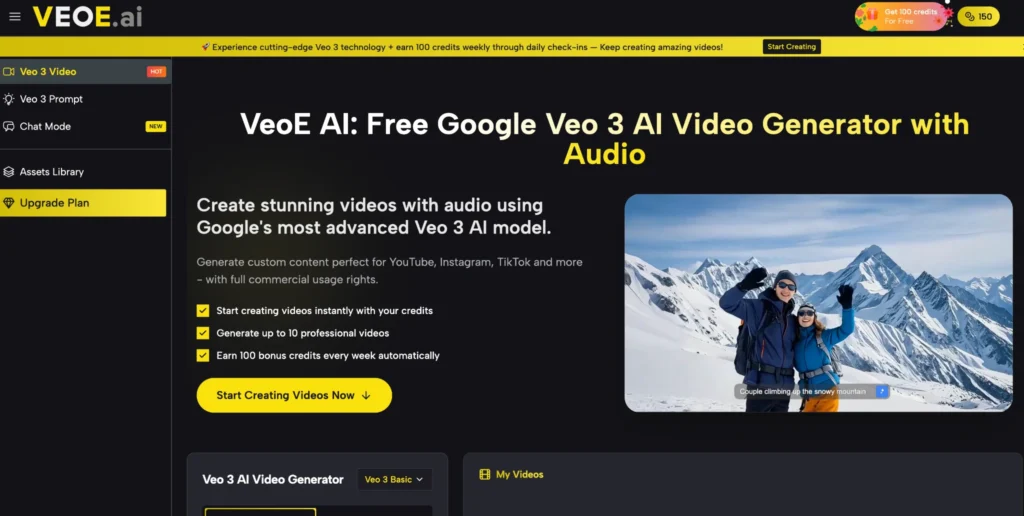
1. Self-Replenishing Free Credits — Not Just a One-Time Trial
Most “free” AI video tools give you a fixed trial budget that disappears after your first session. VeoE AI works differently.
New users receive 100 free credits on signup. More importantly, the platform grants an additional 100 credits every week through daily check-ins — meaning active users never fully run out of generation budget. On the free plan, those 100 credits translate to up to 10 Veo 3 Basic videos and 2 Veo 3 Premium videos per credit cycle, all downloadable without a watermark.
This weekly replenishment model is unique among free Veo 3 access points and makes it genuinely viable for ongoing content production, not just one-time experiments.
2. A Curated Veo 3 Prompt Library with One-Click Generation
Writing effective prompts for Veo 3 is a skill in itself. VeoE AI addresses this with a dedicated Veo 3 Prompt Library — a growing collection of community-sourced, production-tested prompts, each paired with the actual video output it generated.
Each prompt in the library includes a “Use It” button. Clicking it loads the prompt directly into the generator and creates the same-style video immediately. Users can also copy any prompt and modify it to fit their own concept.
This is a meaningful differentiator. Competing platforms may show example videos, but VeoE AI exposes the exact prompt behind each result — giving users a practical learning resource and a shortcut to professional-quality outputs without prompt engineering expertise.
The library covers a wide stylistic range: cinematic tracking shots, product demos, anime-style sequences, horror atmospheres, architectural reveals, and more.
3. An AI Prompt Generator Built Into the Prompt Page
For users who have a video idea but don’t know how to express it in Veo 3-compatible language, VeoE AI includes an AI Prompt Generator directly on the Prompt Library page.
Users describe their concept in plain language (e.g., “a slow-motion product reveal for a luxury watch in a foggy mountain setting”), and the tool generates a structured, Veo 3-optimized prompt ready for immediate use. Free users get 3 AI prompt generations per day.
This feature solves the most common friction point in AI video creation: the gap between what a user imagines and what the model needs to hear.
4. Chat Mode — A Conversational AI Video Agent for Veo 3
VeoE AI’s Chat Mode is its most technically distinctive feature. Rather than requiring users to write a prompt from scratch each time, Chat Mode allows users to describe their video concept through natural conversation. The AI Video Agent interprets the request, breaks it into a generation plan, and produces the video using Veo 3 technology — all within the same chat interface.
The agent also maintains context across turns. If the first output isn’t quite right, users can describe what they want adjusted (“make the camera movement slower” or “add more dramatic lighting”) and the agent refines accordingly.
This conversational refinement loop is not available in standard text-to-video interfaces and significantly reduces the number of failed generations needed to reach a satisfactory result.
5. No-Watermark Downloads Across All Plans
Many AI video platforms reserve watermark-free exports for paid subscribers. VeoE AI includes watermark-free video downloads on every plan, including the free tier. Generated content also carries full commercial usage rights, making it legally usable for ads, YouTube channels, client projects, and branded content from day one.
Getting Started on VeoE AI
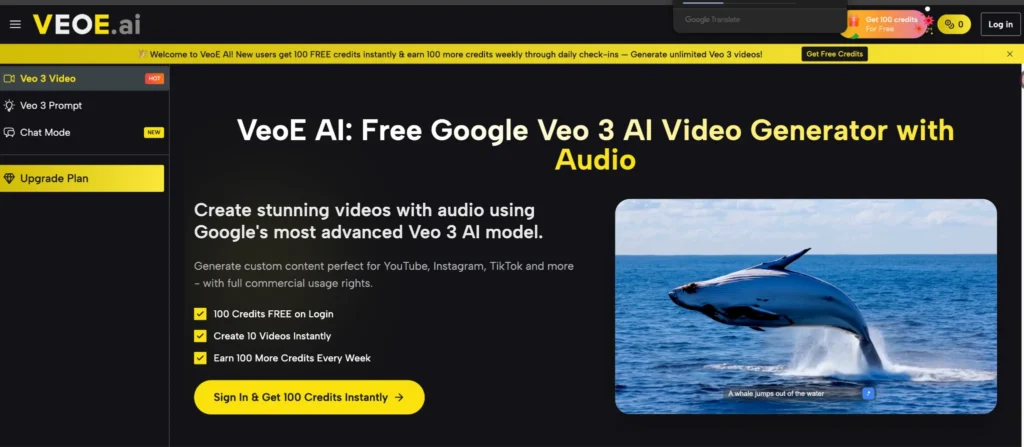
- Visit veoe.ai — no account required to browse the Prompt Library
- Log in with Google to claim your 100 free credits
- Choose your starting point: paste your own prompt, use one from the Prompt Library, generate a prompt with AI, or open Chat Mode
- Select aspect ratio (16:9 or 9:16) and video quality tier (Basic or Premium)
- Generate, review, and download your video without watermark
The entire process from login to downloaded video takes under five minutes for a straightforward concept.
VeoE AI Pricing: What Each Plan Actually Gets You
| Plan | Price | Credits | Veo 3 Basic Videos | Veo 3 Premium Videos |
| Free | $0 | 100 (+ 100/week via check-in) | Up to 10 | Up to 2 |
| Starter | $8.3/mo (billed yearly) | 2,400/year | Up to 240 | Up to 48 |
| Pro | $25.0/mo (billed yearly) | 9,600/year | Up to 960 | Up to 192 |
| Max | $41.7/mo (billed yearly) | 21,600/year | Up to 2,160 | Up to 432 |
All plans include watermark-free downloads and commercial usage rights. Yearly billing saves 15% compared to monthly rates.
Who Should Use VeoE AI?
Content creators building a YouTube or TikTok library will benefit most from the weekly credit system and one-click Prompt Library — it’s structured for repeat production, not just occasional use.
Marketers and brand teams working within tight production budgets can use VeoE AI to generate product demos, social ads, and explainer videos at a fraction of traditional video production cost, with commercial rights included.
Beginners with no prompt experience have two clear entry points: the Prompt Library (browse and replicate proven outputs) and the AI Prompt Generator (describe your idea in plain language and get a ready-to-use Veo 3 prompt back).
Developers and agencies evaluating Veo 3 capabilities before committing to API costs can use VeoE AI as a no-cost testing environment with enough free credits to run meaningful quality assessments.
Final Assessment
VeoE AI’s combination of self-replenishing free credits, curated prompt resources, AI prompt generation, and a conversational video agent makes it the most fully-featured free entry point to Google Veo 3 available today. It is not a one-time trial or a stripped-down demo — it’s a functional production environment for users who need Veo 3 outputs on a consistent basis without a paid subscription.
For anyone producing regular video content or evaluating Veo 3’s capabilities for professional use, VeoE Veo 3 is the most practical starting point currently available.