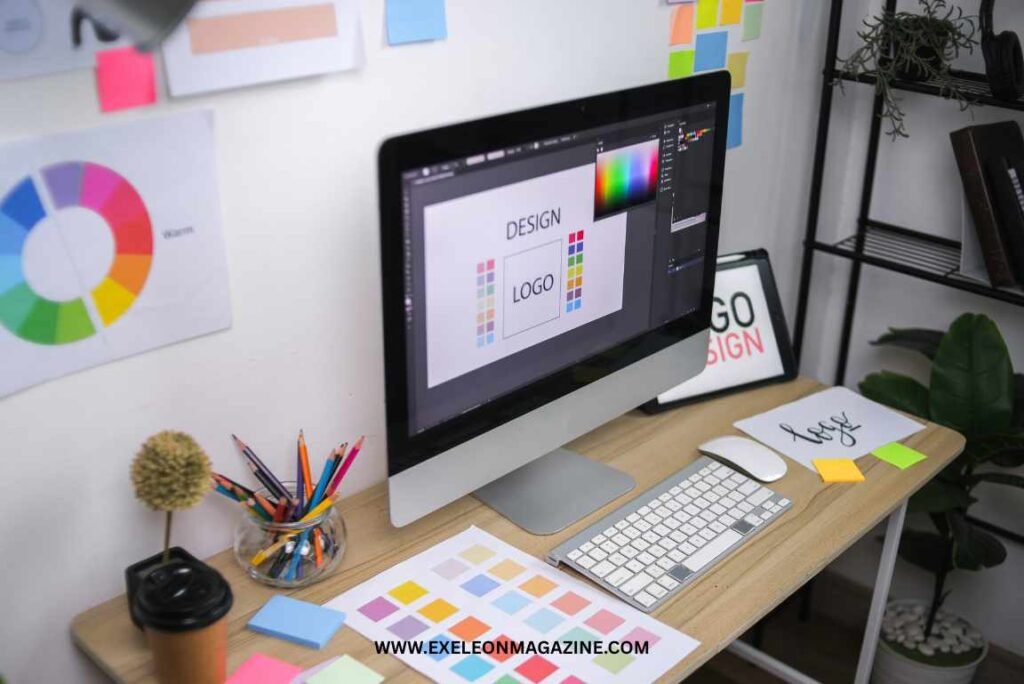
The number of software for graphic design has grown rapidly over the past few years, driven by technological innovation, changing work environments, and expanding user demand. Traditionally, graphic design tools were limited to a few professional desktop applications. Today, cloud-based platforms, AI-powered design assistants, and mobile apps have dramatically expanded the market. Businesses of all sizes now require visual content for social media, digital marketing, e-commerce, and branding, creating higher demand for accessible and affordable tools.
Another major factor is the rise of generative AI, which allows users to create layouts, images, and brand assets in minutes. This lowers the skill barrier and attracts non-designers, entrepreneurs, and small businesses. Additionally, remote collaboration has pushed companies to adopt browser-based tools with real-time editing features. As a result, more companies are entering the market, leading to a significant increase in software for graphic design solutions in 2026.
Major Forces Driving the Increase in Software for Graphic Design
The rapid growth in software for graphic design options is not accidental. It is fueled by powerful technological, economic, and behavioral shifts reshaping how visual content is created and consumed in 2026.
1. AI and Generative Features
Artificial intelligence has become the single biggest catalyst for innovation in design tools. Platforms like Adobe have integrated generative AI through tools such as Adobe Firefly, enabling text-to-image creation, automatic background removal, smart object recoloring, and instant layout suggestions.
In-app generative features now allow designers to:
- Create brand visuals from simple prompts
- Auto-generate social media assets
- Resize designs instantly for multiple platforms
- Produce mockups and marketing materials in seconds
These capabilities reduce production time and lower skill barriers, encouraging new startups and SaaS providers to enter the market with AI-first design platforms.
2. Cloud Collaboration and Remote Work
The rise of remote and hybrid work has shifted design workflows to cloud-based environments. Real-time collaboration platforms such as Figma allow multiple team members to design, comment, and edit simultaneously from different locations.
Key benefits driving adoption:
- Live editing and feedback
- Version history and centralized asset storage
- Cross-functional collaboration (marketing, product, UX teams)
- Seamless browser-based access without heavy installations
As companies prioritize speed and distributed teamwork, new cloud-native design tools continue to emerge, increasing competition in the software for graphic design space.
3. Freemium Models & Consumerization
Design is no longer limited to trained professionals. Platforms like Canva popularized drag-and-drop editing, pre-built templates, and freemium pricing models.
This consumerization trend includes:
- Ready-made templates for social media and ads
- One-click animations and effects
- Simple brand kits for small businesses
- Free entry-level plans with optional premium upgrades
The freemium strategy lowers adoption friction, attracting entrepreneurs, students, and content creators. As more everyday users demand intuitive tools, new startups are entering the market with simplified, niche-focused design solutions.
4. Consolidation & New Business Models
Another force behind the expansion is industry consolidation and experimentation with new pricing structures. Acquisitions, bundle subscriptions, and “free forever” strategies are reshaping competition.
For example:
- Large companies acquire smaller innovative tools to expand capabilities
- One-time purchase models (like those from Serif (Affinity)) compete against subscription giants
- Some platforms offer free core versions to capture market share before monetizing advanced features
These shifting models encourage more entrants to differentiate through pricing, packaging, or specialized features.
5. Mobile & Tablet Creativity Democratization
Creative work is no longer confined to desktop studios. Apps like Procreate and mobile-first solutions from Affinity empower designers to create professional-quality work directly on tablets and smartphones.
Drivers of this trend include:
- Affordable high-performance tablets
- Stylus-based precision drawing
- Cloud syncing across devices
- Social-media-first content creation
Mobile accessibility expands the global user base and opens the market to hobbyists, digital artists, and content creators. This democratization of creativity significantly contributes to the increase in software for graphic design options worldwide.
Bottom Line
AI innovation, remote collaboration, consumer-friendly pricing, evolving business models, and mobile creativity are collectively accelerating growth. These forces are transforming software for graphic design from a niche professional toolkit into a universal business and creative necessity in 2026.
Who’s Winning: Leading Platforms and Their Market Positioning in 2026
As the number of software for graphic design tools increases, a handful of platforms continue to dominate the U.S. market. Each leader has carved out a distinct positioning strategy based on target audience, pricing model, and feature depth.
1. Adobe — The Enterprise & Professional Standard
Adobe remains the industry benchmark in 2026. With Creative Cloud products like Photoshop, Illustrator, and InDesign, Adobe dominates professional design, publishing, and branding workflows.
Positioning:
- Enterprise-ready and agency-focused
- Deep feature ecosystem (photo, vector, video, 3D, AI)
- Subscription-based model
- AI-powered innovation via Firefly integration
Adobe wins on depth, legacy trust, and integration across creative industries.
2. Canva — The Mass-Market Disruptor
Canva has successfully democratized design by targeting non-designers, marketers, and small businesses.
Positioning:
- Freemium & template-driven
- Drag-and-drop simplicity
- Social media and marketing focus
- Rapid AI feature rollout
Canva wins on accessibility, speed, and scale, making it a dominant force among entrepreneurs and content creators in the U.S.
3. Figma — The Collaboration Leader
Figma transformed digital product design through browser-based, real-time collaboration.
Positioning:
- Cloud-native platform
- UX/UI and product design specialization
- Team-centric workflows
- Strong developer handoff tools
Figma leads in tech startups, SaaS companies, and cross-functional teams that prioritize collaboration.
4. Serif (Affinity) — The Subscription Alternative
Serif’s Affinity suite (Designer, Photo, Publisher) competes directly with Adobe but offers one-time purchase pricing.
Positioning:
- Professional-grade tools
- No subscription model
- Cost-effective for freelancers
- Strong desktop performance
Affinity wins among budget-conscious professionals who want powerful tools without recurring fees.
5. Corel — The Legacy Powerhouse
Corel, known for CorelDRAW, maintains a strong niche presence, especially in print design and sign-making industries.
Positioning:
- Print and production focus
- Loyal long-term user base
- Hybrid subscription & perpetual licensing
Corel remains competitive in specialized commercial and industrial design sectors.
6. Sketch — The UI Specialist
Sketch helped pioneer modern UI/UX design before cloud tools became mainstream.
Positioning:
- macOS-focused
- UI/UX specialization
- Lightweight and focused toolset
Although facing strong competition from Figma, Sketch retains a dedicated base of product designers.
7. Procreate — The Creative Tablet Champion
Procreate dominates the iPad illustration and digital art space.
Positioning:
- One-time affordable pricing
- Artist-first interface
- High-performance brush engine
- Mobile creativity focus
Procreate wins among illustrators, concept artists, and social media creators who prioritize mobility and artistic freedom.
Competitive Landscape Summary
In 2026, the winners in software for graphic design fall into clear categories:
- Enterprise & full ecosystem: Adobe
- Mass-market & freemium simplicity: Canva
- Collaborative product design: Figma
- Affordable pro alternative: Affinity (Serif)
- Print & specialty niche: Corel
- UI-focused Mac tool: Sketch
- Mobile artistry leader: Procreate
Rather than one platform replacing another, the market is segmenting by use case. The increase in options reflects specialization, not fragmentation, and that specialization is reshaping how designers and businesses choose their tools in the United States.
Feature Breakdown
Vector & Raster
- Vector tools (Adobe CC, Affinity, CorelDRAW) excel at scalable graphics for logos, icons, and print.
- Raster strength (Adobe, Procreate, Canva) matters for photo editing and pixel-based art.
Layout & 3D
- For multipage layouts (brochures, magazines), Adobe InDesign and Corel excels.
- 3D capabilities (Adobe Dimension/Photoshop) add depth effects; others offer basic layer effects.
AI Tools
- Generative AI is strongest in Adobe and Canva, where automated content generation assists beginners and pros alike.
- Figma and Sketch are expanding AI plugins but lag native features.
Templates
- Canva leads with prebuilt templates for every social platform.
- Adobe also has extensive libraries via Adobe Stock.
Collaboration
- Real-time, cloud-based collaboration is Figma’s hallmark, followed by Canva.
- Traditional desktop tools like Adobe and Affinity rely on cloud storage or file versioning but lack Figma’s live editing.
Asset Libraries
- Adobe’s Creative Cloud Libraries win with integrated access to fonts, stock assets, and synced brand kits.
- Canva’s library is huge and easy to use, though not always as customizable.
Pros & Cons Summary
Adobe CC
- Pros: Most comprehensive; unmatched professional capabilities
- Cons: Expensive; high learning curve
Canva
- Pros: Easiest learning; fastest output; rich templates
- Cons: Limited advanced vector/raster precision
Figma
- Pros: Collaborative, cloud-based, great for UX
- Cons: Not ideal for print or heavy raster work
Affinity Suite
- Pros: Powerful, affordable; owns files locally
- Cons: No real-time collaboration
CorelDRAW
- Pros: Excellent for vector and print workflows
- Cons: UI feels dated; less cloud innovation
Sketch
- Pros: Simple UI design, strong component system
- Cons: macOS-only; less AI and raster support
Procreate
- Pros: Best for freehand art and illustration
- Cons: Not a full design suite; no vector
Best Choice by Use Case
- Branding & Marketing: Canva or Adobe
- Print & Production Design: CorelDRAW or Adobe
- UX/UI & Teams: Figma or Sketch
- Illustration & Digital Art: Procreate
- Professional Freelance Design: Affinity or Adobe
This comparison shows how diversified the software for graphic design landscape has become. Today’s creators can choose tools optimized for their workflow, skill level, budget, and collaboration needs, marking a big shift from a one-size-fits-all past.
Pricing Models & Total Cost of Ownership for US Users
When evaluating software for graphic design, pricing models vary significantly:
- Subscription: Tools like Adobe Creative Cloud charge monthly or annual subscriptions, often with tiered plans for individuals, teams, and enterprises. This provides ongoing updates and cloud services but adds long-term costs.
- One-time Purchase: Apps like Serif (Affinity) offer perpetual licenses, making them cost-effective for freelancers and small studios without recurring fees.
- Freemium + Team Plans: Platforms such as Canva and Figma provide free core features with paid upgrades for premium assets, collaboration, and team management. Team pricing adds value through shared asset libraries and admin controls.
Conclusion
The rapid increase in software for graphic design options reflects a major transformation in how visual content is created in 2026. What was once a market dominated by a few professional desktop tools has evolved into a diverse ecosystem of AI-powered platforms, cloud-based collaboration tools, mobile apps, and affordable alternatives.
Leaders like Adobe continue to dominate the professional and enterprise space, while Canva and Figma expand access through simplicity and collaboration. Meanwhile, cost-effective options like Serif (Affinity) and mobile-first apps like Procreate broaden opportunities for freelancers and creators.
For U.S. users, the best choice depends on workflow, budget, and team needs. Rather than replacing one another, these tools now coexist in specialized roles offering flexibility, innovation, and accessibility that continue to drive market growth.